Most visitors arrive on your website with one silent question: "Can I trust this?" They don't know you, they can't touch your product and they have ten other tabs open. A social proof popup answers that question in about two seconds, with a small, well-timed message showing that real people are already buying, signing up or using what you offer.
This guide explains what social proof popups are, why they work, which types to use on which pages, and how to set them up without slowing down your site or annoying anyone.
What is a social proof popup?
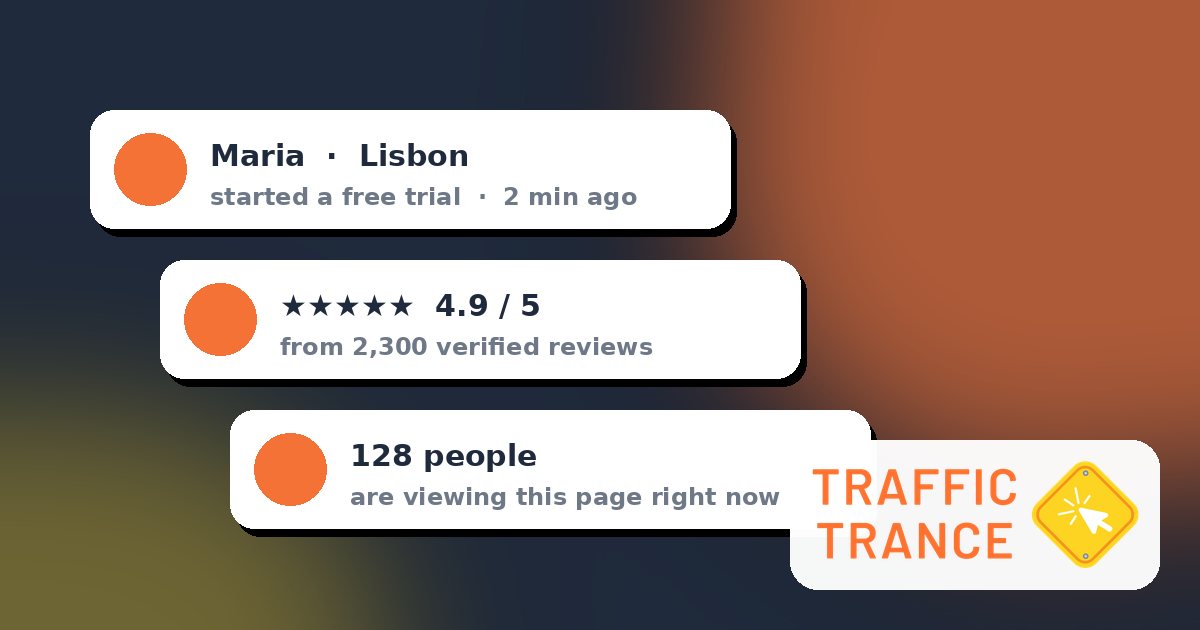
A social proof popup (also called a social proof notification or FOMO notification) is a small, non-blocking message that appears in a corner of a web page and shows evidence of other people's activity. Typical examples:
- "Maria from Lisbon just started a free trial."
- "128 people are viewing this page right now."
- "4.9/5 from 2,300 verified reviews."
- "312 people signed up this week."
Unlike a full-screen modal, a good social proof notification doesn't interrupt the visitor. It slides in, delivers one piece of reassurance, and disappears.
Why social proof works
Psychologist Robert Cialdini described social proof as one of the core principles of persuasion: when we are uncertain, we look at what other people are doing and assume it is the right choice. Online, uncertainty is the default. A visitor can't see the queue outside your shop, so you have to show it to them.
Social proof popups work for three reasons:
- They reduce perceived risk. Seeing that others bought recently makes a purchase feel safer.
- They create gentle urgency. Live activity signals that the offer is popular and may not last.
- They make a site feel alive. A quiet page feels abandoned; a page with visible activity feels trustworthy.
The 8 types of social proof popups (and when to use each)
1. Recent activity (conversions)
Shows a recent action such as a sale, signup or booking: "Daniel in Toronto booked a demo 4 minutes ago." This is the classic, highest-impact format for stores, SaaS signups and lead forms. Use real events only, captured from your forms or sent through a webhook.
2. Conversions counter
Aggregates activity over a period: "87 people signed up in the last 24 hours." Ideal when individual events are too frequent to show one by one, or when you prefer not to display names.
3. Live visitor counter
"43 people are on this page right now." Works well on pricing pages, product launches and event registrations, where popularity itself is persuasive.
4. Reviews and ratings
Rotates short customer quotes with a star rating. Reviews answer the "is it good?" question, while activity answers "do people buy it?". Use both on product and checkout pages.
5. Coupon or offer
A discreet discount card that appears after a visitor has shown interest, for example after scrolling 50% of a product page or when they move to leave.
6. Email collector
A compact signup box ("Get the free checklist") that turns readers into subscribers. It performs best on blog posts and guides, where visitors are still researching.
7. Countdown
Shows the time left until a real deadline: a sale ending, a webinar starting or registration closing. Only use genuine deadlines; fake timers destroy trust the moment someone refreshes the page.
8. Informational and feedback popups
Announcements ("Free shipping this weekend"), cookie notices, or one-click feedback ("How was this page? 😀 😐 🙁"). Not social proof in the strict sense, but they are useful in the same lightweight format.
Where to place social proof on your site
| Page | Best popup type | Goal |
|---|---|---|
| Home page | Conversions counter, reviews | Build trust fast |
| Product or pricing page | Recent activity, live visitors, reviews | Reduce hesitation |
| Cart and checkout | Reviews, guarantee message | Prevent abandonment |
| Blog posts | Email collector, informational | Capture leads |
| Landing page / signup | Recent signups, countdown | Increase signups |
Placement on screen matters too. Bottom-left is the most common position on desktop because it rarely covers navigation or chat widgets. On mobile, use a compact bar at the bottom or top and keep messages short.
How to write social proof copy that converts
- Be specific. "Ana from Madrid" beats "Someone". "12 minutes ago" beats "recently". Specificity reads as real.
- Name the action and the product. "bought the Starter Kit" tells visitors exactly what is popular.
- Keep it under 15 words. A notification is glanced at, not read.
- Match the visitor's language. A message in the visitor's own language feels local and credible. Show each language only to the matching audience.
- Add one clear link. Let curious visitors click through to the product or signup page.
Timing and frequency: the difference between helpful and annoying
The same popup can lift conversions or hurt them depending on timing. Sensible defaults:
- Wait 3–8 seconds after page load before the first notification.
- Show each message for 5–8 seconds, then leave a gap of 10–20 seconds.
- Cap it: 3–5 notifications per page view is plenty.
- Use triggers: show offers after a scroll depth or on exit intent, not immediately.
- Always let visitors close a notification, and respect that choice.
Do social proof popups hurt SEO or page speed?
Not when they are done properly. Google's guidance on intrusive interstitials targets full-screen popups that hide the main content on mobile. Small corner notifications and banners that use a reasonable amount of screen space are not the problem.
Speed matters more. Choose a tool that loads asynchronously with a single lightweight script, so the popup never blocks your page from rendering. Traffic Trance loads with one small pixel added to your site's <head> and fetches notifications in the background.
Common mistakes to avoid
- Fake data. Invented purchases are deceptive, can break consumer-protection rules in many countries, and visitors notice. Use real events or aggregated real numbers.
- Too many popups at once. One notification at a time, one goal per page.
- Same message everywhere. A checkout page needs reassurance; a blog post needs a lead magnet. Target by page.
- Ignoring mobile. Test on a real phone. If the popup covers the "Buy" button, it's costing you money.
- Never measuring. Track impressions, hovers and clicks, and compare conversion rate before and after.
How to set up social proof popups in 5 minutes (free)
- Create a free Traffic Trance account. No credit card needed.
- Add your website as a campaign and copy the one-line pixel into your site's
<head>. It works with Shopify, WordPress, Wix, Webflow, Squarespace and any custom HTML site. - Create your first notification. Start with "Recent activity" on your product or signup page and "Reviews" on your home page.
- Connect real data by capturing your signup or checkout form, or by sending events through a webhook.
- Set targeting (pages, devices, countries, languages) and timing, then watch the statistics for a week.
Want more ideas for creating urgency honestly? Read our guide to 15 ethical FOMO marketing tactics.
Frequently asked questions
Do social proof popups really increase conversions?
They usually help most on pages where hesitation is high: pricing, product and signup pages. Results depend on your traffic and offer, so measure your own conversion rate before and after rather than relying on generic numbers.
Are social proof notifications legal?
Yes, when they show real information. Avoid fabricated activity, and if you display names or locations, follow your privacy policy and local data rules. Showing first names and cities only, or aggregated counts, is a safe approach.
How many notifications should I show?
Start with 3–5 per page view, spaced 10–20 seconds apart. Fewer, well-targeted messages beat a constant stream.
Is Traffic Trance really free?
Yes. Traffic Trance is free to use, with the core notification types, targeting and statistics included. Create your free account and launch your first popup today.
Next step
Social proof is the cheapest trust you can add to a website: no redesign, no new traffic, just showing visitors what is already happening. Pick one page with high traffic and low conversions, add one relevant notification, and measure the result. Start free with Traffic Trance.
